Problem first: why this matters to operators
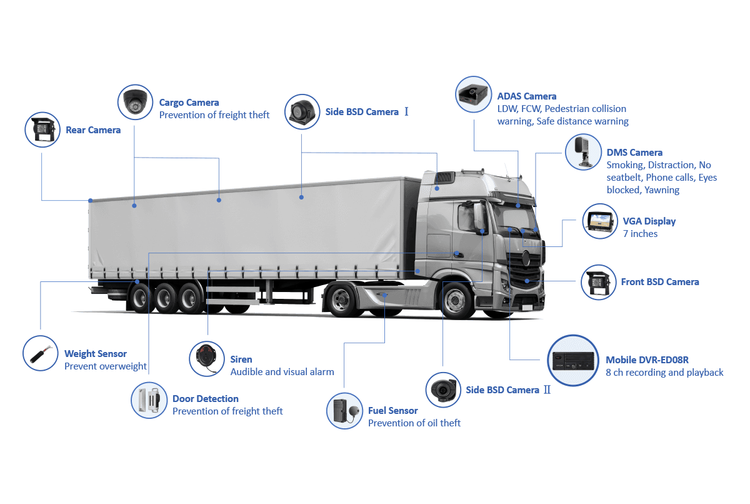
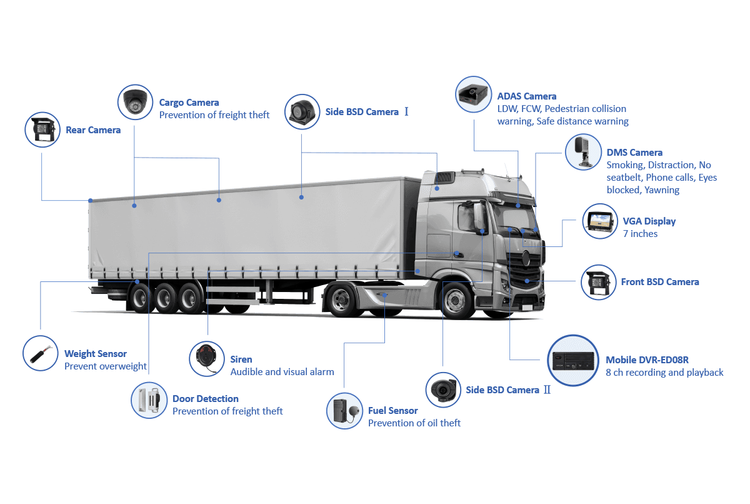
Fleet teams waste hours chasing footage that’s unusable or missing. When field technicians, drivers and managers all point at the DVR, the same faults show up: power faults, recording gaps, flaky networks and timestamp errors. Having installed and serviced DVRs on municipal and private fleets in Cape Town, I’ve seen the pattern repeat — and how quick, purposeful fixes stop the churn. If you’re comparing options, bring your checklist to conversations with fleet telematics technology providers and test proposals alongside established vehicle telematics providers so you can separate smoke from solid engineering.
1) Sudden reboots and corrupted files — the power problem
Symptoms: the unit restarts when the engine idles, files don’t close cleanly, and footage shows gaps right where incidents occur. Root cause: voltage spikes, poor earths, or incorrect ignition sensing. Quick checks: measure OBD/ignition voltage while engine is off, idling and under load; inspect the wiring loom and crimp joints; look for loose battery terminals. Fixes that work:- Fit an ignition-sensing relay or a dedicated power module that tolerates 8–36V swings.- Use fused, soldered or crimped connections in a sealed heat-shrink sleeve.- Specify DVRs with graceful shutdown and file-flush features. Common mistake: assuming the factory harness is adequate for heavy-duty vehicles. It often isn’t. Trust readings from a multimeter, not assumptions.
2) Poor image quality or missing camera angles — the storage and codec trap
Symptoms: pixelated or stuttering video, or the rear camera stops recording after a week. Root cause: wrong bitrate/codec settings, counterfeit SD cards, and no rotation strategy. Quick checks: inspect bitrate and resolution settings; check card health and write speed; confirm camera firmware versions. Fixes:- Use industrial-grade SD or SSD rated for continuous writes and specify endurance class.- Set sensible bitrates per camera (adjust if many cameras run simultaneously).- Enable cyclic recording with properly sized partitions and archival rules. Common mistake: cranking resolution to max and leaving default overwrite times. High resolution is wasted if the storage and network can’t handle it.
3) Intermittent remote access and failed uploads — network realities
Symptoms: footage uploads stop in suburbs, live view drops on busy routes, or telematics events arrive late. Root cause: weak cellular coverage, aggressive NAT timeouts, or poor APN configuration. Quick checks: run coverage tests along routes; verify VPN or TCP keepalive settings; validate APN credentials and SIM health. Fixes:- Configure store-and-forward with retry windows and delta uploads.- Use bondable modems or switch to a provider that offers managed SIM roaming for priority packets.- Set sensible keepalive and reconnection logic in the DVR firmware. Common mistake: expecting real-time video in every place. Design for store-and-forward with robust metadata so you can retrieve critical clips after the vehicle returns or hits coverage.
4) Wrong timestamps and GPS mismatch — compliance and evidence risk
Symptoms: recorded events don’t match fleet logs, timestamps drift over weeks, GPS pinpoints sit metres off the road. Root cause: poor NTP setup, no fallback clock, and GPS antenna placement issues. Quick checks: compare DVR time to a trusted NTP server; inspect antenna cabling and mounting; confirm firmware supports GPS/RTC fallback. Fixes:- Point devices to reliable NTP servers and add local time fallback for extended offline periods.- Fit external GPS antennas clear of metal obstructions and document antenna location during installation.- Log GPS and GSM cell IDs so you have multiple location references for cross-checking. Common mistake: relying on the fleet management portal time for court evidence. Always verify device-side timestamps and record the sync method used.
Common pitfalls that keep costs up
– Cutting corners on cabling and connectors to save a few rand; it costs more in call-outs later. – Not validating firmware upgrade procedures before mass-rolling; a bad upgrade can brick units fleet-wide. – Letting vendors default to the highest resolution and bitrate; test and tune for your routes and storage plan. – Skipping user training; drivers and technicians need a two-page quick-reference for daily checks.
How to evaluate hardware and supplier capability
Ask for these concrete proofs: lab-sourced power-cycle tests, MTBF or write-endurance figures for storage, and a published field-failure rate. Demand a demo route trial rather than a slide deck. Insist on install photos showing antenna placement and cable routing, and require a rollback plan for firmware updates. When you talk to suppliers, probe for on-vehicle diagnostics they expose — live file status, card health, and event hashes — not just a portal that shows “OK”.
Wrap-up: practical value you can deploy
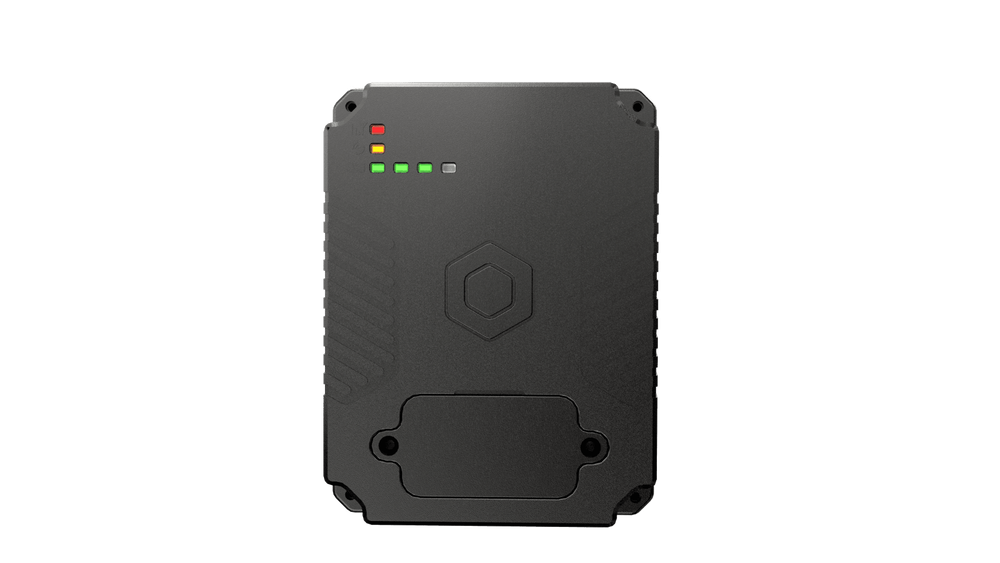
Sort the problems by frequency and fix the top two first: power/wiring and storage. Document each install so future faults are easier to diagnose. Good DVR selection and commissioning reduce false positives and legal risk. When you want a partner that demonstrates those practical competencies and supports field trials, consider how BSJ aligns technology choices, installation discipline and post-fit diagnostics so footage actually proves what it needs to.